


Smart Watch App: Wearable Sync
4.1130.00 Reviews
App Specs
- Version
- 58.0
- Updated On
- License
- Free
- Downloads
- 1,000,000+
- Developer
- Mission to improve your app
- Categories
- Tools
- Platform
- Android
Screenshots
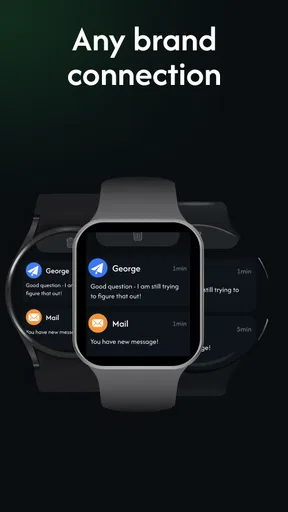
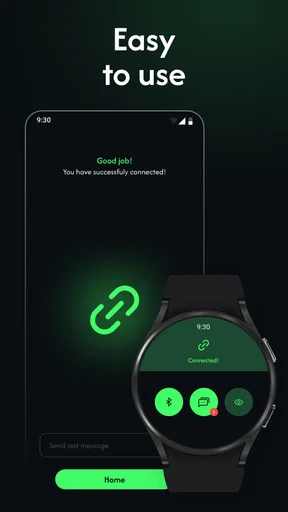
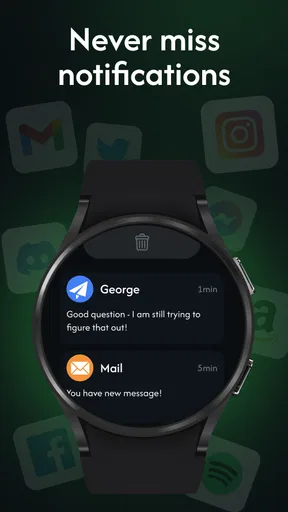
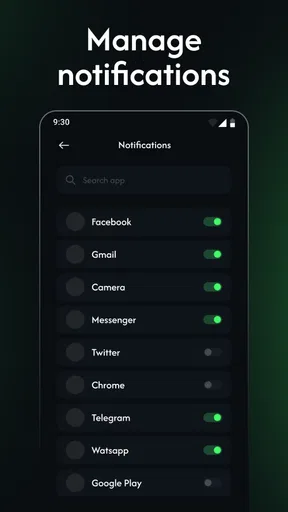
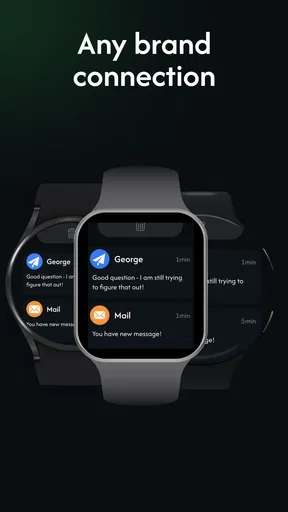
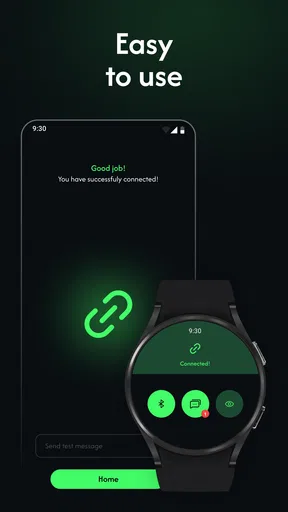
 Analysis by AppCompare
I approached Smart Watch App: Wearable Sync as a practical connection tool rather than a full smartwatch companion with a huge ecosystem around it. That distinction matters. Its job is straightforward: help sync a wearable with a phone, and make the first steps of using that watch less confusing. In my experience, that focused purpose is also its main appeal. If your immediate problem is getting a compatible wearable talking to your Android phone, this app is worth considering before you start searching through several unrelated tools.
The app sits in the Tools category and is free to install, with optional in-app purchases ranging from $16.99 to $51.99 per item. It is published by Mission to improve your app and is intended for Everyone. The current release is version 58.0, and it works on Android 8.0 and later. Those details make it accessible to a wide range of phones, including devices that are no longer running the newest Android software.
My overall view is positive but measured: this is a useful starting point for wearable syncing, not a guaranteed solution for every watch. The strongest reason to try it is convenience. The main reason to be cautious is that connection apps can be sensitive to the exact wearable, phone settings, Bluetooth state, and background activity rules. When the pairing path is smooth, the app can remove unnecessary friction. When it is not, you may still need to troubleshoot the phone and watch themselves.
How the syncing experience feels in everyday use
The most sensible way to use the app is to treat it as a setup companion. I would begin with the phone and watch close together, make sure the wearable has enough charge, and avoid trying to pair it while several other Bluetooth accessories are actively competing for attention. That simple preparation is more important than it sounds. A sync utility can guide the process, but it cannot compensate for a watch that is powered down or already tied to another phone.
What I like about the concept is that it puts the connection task in one place. Instead of jumping between the phone's Bluetooth menu, a manufacturer's separate utility, and a watch's own settings, a dedicated wearable app gives the process a clearer home. For someone who has just opened a watch box and wants to see whether it works with a phone, that reduction in uncertainty is valuable.
A realistic everyday scenario is a user replacing an old phone while keeping the same wearable. The watch may still remember the previous handset, and the new phone may see it as a nearby Bluetooth device without completing a useful sync. In that situation, I would use the app as the central place to restart the connection, then check the wearable's own pairing state if the process stops. The important lesson is not to repeatedly tap connect without changing anything. If the watch remains linked elsewhere, removing the old connection first is usually the more productive step.
The app also makes sense for people who do not want a complicated health platform. Some users simply want their watch connected for basic wearable use and do not need a large dashboard full of charts, coaching, or social functions. For them, a focused sync tool can feel less overwhelming than a full fitness ecosystem. That simplicity is a strength, provided the particular wearable is supported well enough to complete the connection.
Worth Reading Before You Choose

EA SPORTS FC Mobile 26 Is a Bigger Football Game, but It Takes Time

Flipboard Shows What News Apps Must Do Beyond the Feed

Switching to Android Auto Means Rethinking Your Driving Routine

Google Calendar Makes a Crowded Week Easier to Manage

Ludo King Makes the Most of the Minutes Between Plans

Baby Panda World Brings Quick Play to Modern Phones, but Its Game Library Feels Busy
Small habits that make pairing less frustrating
I recommend starting with Bluetooth enabled but not assuming that the phone's normal Bluetooth screen is the best place to finish the setup. Some wearables expect pairing to begin inside their companion app, and manually connecting them first can create a partial connection that looks successful but does not sync properly. When using this app, I would let its workflow lead whenever possible rather than mixing several pairing methods at once.
Another useful habit is to keep the app available while testing the first sync. If the phone immediately puts it into a restricted background state, the wearable may appear connected but stop updating later. Android's battery controls can be especially aggressive on some phones. I would check the app's battery treatment if syncing works only while the app is open. That does not mean disabling every battery safeguard permanently; it means making a deliberate choice if reliable background communication matters more than maximum battery conservation.
It is also worth testing the connection in the place where you will normally use the watch. A pairing that works beside the phone may behave differently when the phone is in a bag, across a room, or surrounded by other wireless devices. I would not judge the app solely on the first successful connection. The more meaningful test is whether the watch reconnects naturally after you leave home, restart the phone, or move out of Bluetooth range and return.
For a family member who is not comfortable with phone settings, I would complete the first setup with them rather than simply installing the app and walking away. The most helpful approach is to write down the watch model, keep the phone's Bluetooth name visible, and explain which device should initiate pairing. This prevents the common mistake of treating every nearby device with a similar name as the correct one.
Where it compares well with ordinary alternatives
The usual alternative is to rely only on the phone's built-in Bluetooth panel. That method is fine for headphones and speakers, but wearables often need more than a one-time audio-style connection. A watch may need an app-mediated relationship so that it can remain associated with the phone and exchange information over time. A dedicated tool therefore has a logical advantage over the system menu alone.
The other alternative is a brand-specific companion app. When that official app is available and clearly supports your exact watch, I would normally prefer it for advanced functions, firmware handling, account features, or detailed health data. A general wearable-sync app is more attractive when you are trying to simplify the connection, when the brand's software is difficult to navigate, or when you want a straightforward first attempt before committing to a larger platform.
That comparison leads to an important trade-off. A focused sync app may be easier to approach, but a manufacturer's app is more likely to understand the full behavior of its own hardware. I would choose this app for the connection problem itself, then decide whether the official companion is necessary for everything beyond that. It does not have to be an either-or decision.
The app's public reception suggests that many people find it useful: it holds an average rating of 4.1 from around 3.4 thousand ratings, and it has passed one million installs. I read those figures as encouraging rather than conclusive. They show that the app has reached a substantial audience, but they do not guarantee that every watch model or Android phone will behave identically. Connection tools are especially dependent on combinations of hardware and software.
The limitations I would consider before installing
The biggest weakness is not necessarily a missing button; it is the uncertainty that comes with generic wearable support. “Smart watch” covers many different products, from basic notification devices to watches with their own operating systems and manufacturer services. A tool that helps one model connect may offer little value for another. Before relying on it, I would confirm that the watch is intended to work with a general syncing application rather than requiring a dedicated brand app.
I would also be careful about what “sync” means in practice. Connecting a watch to a phone is not the same as transferring every health record, notification, setting, or watch face. If your priority is detailed workout history, medical-style tracking, contactless payments, voice features, or advanced customization, the official software may be the better destination. This app makes the most sense when the connection itself is the problem, not when you expect it to replace an entire wearable ecosystem.
Another point of friction is troubleshooting. If the first attempt fails, the cause may be the watch's previous pairing, Android's Bluetooth service, battery restrictions, or a permission prompt rather than the app's main interface. I would work through the basics in order: restart both devices, remove stale pairings, keep the devices close, and try again from the app. If the same problem continues, repeatedly reinstalling the app is unlikely to be a thoughtful next step; checking the watch's own instructions or using its official companion would be more sensible.
The optional purchase range also deserves attention. The app is free to install, which makes testing it relatively easy, but the presence of in-app purchases means I would not assume every useful part of the experience is included without checking the purchase screen carefully. I would first establish that the app can recognize and connect to my wearable before considering any paid option. Paying should solve a clearly understood need, not be an experiment made during a frustrating pairing attempt.
There is a practical privacy habit I would follow with any wearable tool: grant only the access needed for the functions I actually plan to use, and read each Android prompt instead of approving everything automatically. Wearables can involve personal activity and notification information. Even when an app's purpose seems narrow, I prefer knowing why a permission is being requested and whether the feature I want depends on it.
Who will get the most from it
I think the best audience is someone who has a compatible wearable, an Android phone running version 8.0 or newer, and a specific connection problem to solve. That includes a first-time smartwatch owner, a person moving a watch to a new phone, and someone who finds the standard Bluetooth process too vague. The free entry point makes it reasonable to test before investing time in a more elaborate setup.
It can also suit users who want a lighter tool instead of a large fitness service. If your goal is simply to keep a watch linked and usable during the day, a focused app may be more comfortable than a feature-heavy platform. I would especially consider it for a secondary or budget wearable where the owner's main need is basic phone communication rather than a deep collection of training metrics.
On the other hand, I would skip it as my first choice if I owned a watch that depends heavily on a manufacturer account or a tightly integrated operating system. In that case, the official companion app is likely to provide a clearer path and more complete support. I would also look elsewhere if my main reason for buying a wearable is detailed exercise analysis, long-term health records, or advanced watch personalization. A syncing utility is not automatically a replacement for those specialized tools.
For older Android phones, the minimum requirement is reassuring because the app supports Android 8.0 and later. Still, age compatibility does not guarantee identical Bluetooth behavior across every device. A newer phone with current system updates may provide a smoother experience than an older handset with heavily customized battery management. I would keep that distinction in mind if the app connects successfully but fails to stay connected.
My recommended workflow before judging the app
I would evaluate the app in three stages rather than deciding after one tap. First, I would see whether it identifies the wearable and completes the initial connection. Second, I would put the phone and watch out of range briefly, then check whether they reconnect without a full setup. Third, I would use the watch during a normal day and see whether the connection remains dependable when the app is not constantly on screen.
This workflow reveals more than a quick pairing test. A connection can be technically established yet practically unreliable. If the app passes all three stages, it has earned a place on my phone. If it only works while open, I would inspect battery settings before blaming the wearable. If it never recognizes the watch, I would stop spending time on generic fixes and move to the manufacturer's software or support instructions.
I would also avoid installing several competing sync apps at the same time. Multiple tools may try to discover or pair with the same wearable, making it harder to know which one is responsible for a failure. Testing one approach cleanly gives a more useful answer. If I later switch to the official companion, I would remove or disconnect the earlier setup first where appropriate.
My final view of Smart Watch App: Wearable Sync
After weighing its purpose against its limitations, I see Smart Watch App: Wearable Sync as a practical first attempt for Android users who need help connecting a wearable. Its strongest quality is focus: it addresses a common setup problem without asking the user to begin with a complicated fitness platform. The app is free to install, rated for Everyone, and available to a broad range of Android devices, which lowers the barrier to trying it.
My recommendation comes with a clear condition: confirm that your watch is a sensible match for a general syncing tool, and judge the app by stable everyday reconnection rather than a single successful pairing. If your needs are basic wearable communication, this may be the cleanest route. If you need the deepest hardware support, detailed health features, or brand-specific controls, the official companion app is the safer choice.
The developer, Mission to improve your app, has produced something that is easy to understand at a glance, but the real value depends on the device combination in front of you. That is why I would install it when the connection problem is concrete, follow a careful setup routine, and avoid paying for anything until the free experience proves useful. For the right user, it can turn an irritating first setup into a manageable task; for everyone else, it is better viewed as a focused experiment than a universal smartwatch solution.
Pros
- Supports syncing with multiple wearable device brands.
- Keeps health and activity data organized in one place.
- Provides convenient access to watch settings and notifications.
- Useful companion for tracking workouts and daily movement.
- Simple interface makes essential wearable controls easy to find.
Cons
- Compatibility may vary depending on the watch model and phone.
- Some features can require background access and extra permissions.
- Battery use may increase when continuous syncing is enabled.
- Syncing can be delayed after reconnecting through Bluetooth.
- Advanced health insights may depend on the connected wearable.
FAQs for Smart Watch App: Wearable Sync
What is Smart Watch App: Wearable Sync used for?
Smart Watch App: Wearable Sync is designed to help users connect and manage compatible smart watches from a mobile device. After pairing, it may provide access to features such as activity tracking, health statistics, notifications, watch settings, and synchronization of collected data. The exact tools available can vary depending on the watch model, phone, operating system, and permissions granted during setup.
Is Smart Watch App: Wearable Sync compatible with my phone and smartwatch?
Compatibility should be checked before downloading because smartwatch companion apps do not support every device. Smart Watch App: Wearable Sync may require a recent Android or iOS version, Bluetooth access, and a supported wearable model. Some functions can also differ between platforms. Review the app store description and supported-device information, then confirm that your smartwatch appears in the pairing list before relying on the application.
How do I connect my smartwatch to Smart Watch App: Wearable Sync?
To connect a watch, install the application, enable Bluetooth, open the app, and follow the pairing instructions shown on screen. Keep the watch close to the phone and accept requests for Bluetooth, notifications, location, or health permissions when they are needed. If pairing fails, restart both devices, remove previous Bluetooth connections, and try the setup again from inside the app rather than the phone’s Bluetooth menu.
What permissions does the app request, and are they necessary?
The application may request access to Bluetooth, notifications, location, physical activity, health information, and background operation. These permissions can be necessary for syncing data, displaying phone notifications on the watch, and maintaining a connection while the app is not open. You should read each permission prompt carefully and allow only what you need. Refusing optional access may disable particular features without preventing basic pairing.
Does Smart Watch App: Wearable Sync require a subscription or internet connection?
Basic connection and synchronization may work through Bluetooth, but some features can require internet access for account services, cloud backups, firmware information, advertisements, or data synchronization across devices. Depending on the current version, certain advanced tools may also be offered through in-app purchases or a subscription. Check the listing and the app’s settings for current pricing, trial conditions, and any limitations before downloading.


